
To protect your social media account from being hacked, we are giving you some special tips so that you can secure your social media account. It is also necessary to use two-factor authentication for the safety of the account.
Recently, the Twitter account of Twitter CEO Jack Dorsey was hacked, after which some racist tweets were made from the account. If you are thinking about what will happen if you ever get stuck in such a situation, we will provide you with the solution. We are giving you some special tips to avoid such a situation, by which you can secure your social media account.
1. Use strong and unique passwords
A strong and unique password on social media acts like a high-security lock for your online accounts. It makes it extremely difficult for hackers to break in and steal your information or impersonate you. Here’s what makes a strong and unique password for social media:
Strength:
For more details, read our guide to Tips Become Successful Social.
- Length: Aim for at least 12 characters, but longer is even better. The more characters, the harder it is to crack.
- Complexity: Combine uppercase and lowercase letters, numbers, and symbols like @, #, $, etc. This makes it harder for hackers to guess because they have to consider a wider range of possibilities.
- Avoid Obvious Choices: Don’t use personal information like your birthday, pet’s name, or address. Hackers can often find this information from your social media profile itself.
- No Dictionary Words: Don’t use dictionary words, even misspelled ones. Hackers have programs that can try millions of common words and variations.
Uniqueness:
- Never reuse passwords: Having the same password for multiple accounts is a big security risk. If a hacker cracks one password, they can potentially access all your other accounts.
- Don’t use variations of the same theme: While “Summer2026!” is strong, avoid using similar variations like “Spr1ng2027!” for other accounts. Hackers might try similar patterns if they know one of your passwords.
2. Enable two-factor authentication (2FA)
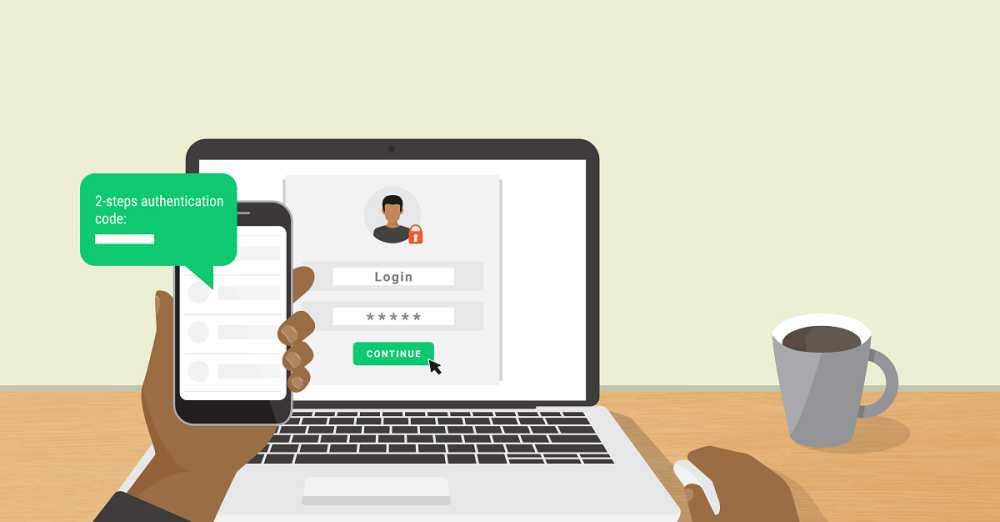
Two-factor authentication (2FA) on social media adds an extra layer of security that makes it much harder for hackers to break into your accounts, even if they steal your password. Here’s how it works:
- With a normal login, you only need one thing: your password.
- With 2FA enabled, you need two things:
- Your password
- A special code
This second code is usually generated by an authenticator app on your phone. There are other options depending on the platform, like receiving the code via text message (SMS). However, using an authenticator app is generally considered more secure.
2FA adds an extra layer of security to your accounts by requiring a second verification step in addition to your password. This could be a code sent to your phone, an email, or a fingerprint scan.
For more details, read our guide to Should You Use Professional.
Also Read: Which Social Media Platform Is Better For Brands?3. Monitoring suspicious activity
For safety, it is important to keep an eye on what is happening in your account. The sooner you notice any suspicious activity, the sooner you can fix it. Thus, you can take action to prevent hacking. In such a case, avoid those accounts that you can. Remember that the account you are not using still contains your data as it is linked to your email.
Pay attention to safety on public networks: If you access free Wi-Fi in a coffee shop or use free Wi-Fi outside, you need to be more cautious. Most of us like to use free Wi-Fi, but you need to know its disadvantages too. Whenever it comes to an open network, it can be used by everyone. In such a situation, the possibility of danger also increases. Therefore, unless it is very necessary, avoid using open networks. If necessary, do not log into your personal account during this time.
Also Read: What Factors Influence Consumer Behavior?
4. Monitor account activity
What happens many times is that third-party apps associated with social media accounts get stolen data. So make sure that you are using only legitimate apps and that you are aware of everything you share. That’s why it is necessary to have control instead of coming under someone’s control.
5. Keeping apps up to date
Here’s why keeping your social media apps up to date is crucial for security:
Security Patches: Imagine your social media app as a castle. Updates are like reinforcements for the walls and guards. They fix vulnerabilities that hackers might try to exploit to sneak in (steal your data or take over your account).
- New threats, new patches: Just like new viruses emerge, so do new hacking techniques. Updates often include patches to address these latest threats, keeping your defenses strong.
- Outdated software = easier targets: Hackers love easy targets. If you’re running an outdated app with known vulnerabilities, you’re a much more attractive target than someone with the latest security updates.
Here’s how updates help with specific social media security aspects:
For more details, read our guide to Meet American Influencers Why.
- Protecting your data: Updates can fix bugs that might allow hackers to access your private messages, photos, or other information.
- Guarding against malware: Malicious software (malware) can be hidden in links or attachments. Updates can include fixes that prevent malware from infecting your device through the app.
- Staying ahead of phishing scams: Phishing tricks can change over time. Updates can make social media platforms better at detecting and blocking these scams within the app.
Keeping things running smoothly:
- Improved functionality: Updates often include new features and improvements to the app’s functionality.
- Bug fixes: Updates can also squash bugs that might be causing crashes, glitches, or other problems with the app.
Making updates easy:
For more details, read our guide to Why Facebook The Platform.
- Automatic updates: Most social media apps offer the option to enable automatic updates. This is the simplest and most effective way to stay secure.
- Manual updates: If you prefer to control updates yourself, you can usually find them in the app settings or the app store where you downloaded the app.
6. Beware of phishing scams
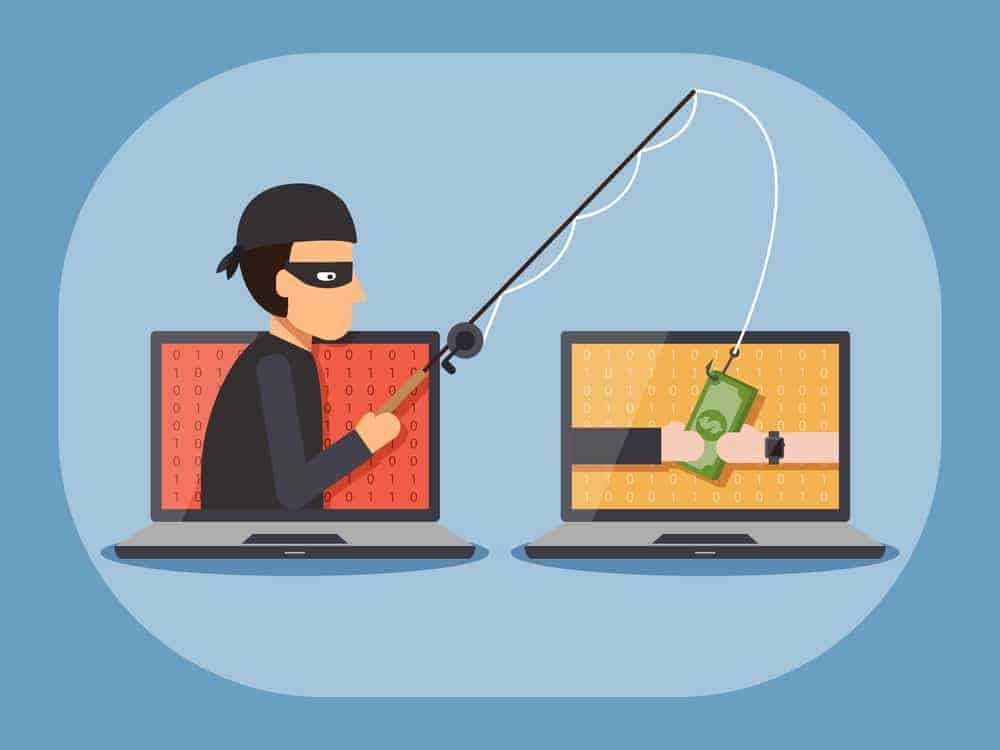
Phishing scams on social media are like those tricky emails you might get, but they target you through your social media accounts. Here’s how to spot them and avoid getting hooked:
How scammers fish on social media:
For more details, read our guide to Common Social Media Mistakes.
- They pretend to be someone you know or trust. This could be a friend, family member, a company you follow, or even a fake account that looks like a legitimate one.
- They create a sense of urgency or importance. They might try to scare you with a problem with your account, offer a limited-time deal, or promise something exciting.
- They’ll pressure you to click on a link or download something. This link could take you to a fake website designed to steal your login information, credit card details, or other personal information.
Here’s how to be a smart social media fish and avoid getting caught:
- Don’t click on suspicious links or attachments, even if they come from someone you know. If you’re unsure, reach out to the person directly (through a different channel, like a phone call) to confirm if they really sent you something.
- Be wary of messages that seem too good to be true. Free giveaways, unbelievable discounts, or sudden inheritances from long-lost relatives are classic red flags.
- Check the sender carefully. Hackers may create fake accounts that look similar to real ones. Look for misspellings, strange usernames, or a lack of mutual friends.
- Don’t enter your personal information on unfamiliar websites. Legitimate companies won’t ask for your password or other sensitive details through social media messages.
- If something seems fishy, report it to the social media platform. Most platforms have buttons to report suspicious messages or accounts.
By being cautious and aware of these tactics, you can protect yourself from phishing scams and keep your social media accounts safe.
For more details, read our guide to What Are Important Digital.
Final Thoughts on Protecting Your Social Media
In conclusion, safeguarding your social media accounts requires a proactive approach. By using strong passwords, enabling two-factor authentication, and monitoring your account activity, you can significantly reduce the risk of being hacked. Additionally, staying informed about phishing scams and keeping your apps updated will further enhance your security. Remember, your online presence is valuable, and taking these steps can help you maintain control over it.
Suggested Essential Resources
- WP Migrate: All-in-One WordPress Site Migration Plugin
- What Are The Most Significant Advantages of Digital Transformation
- How to Enable Web Stories on Google?
- What Are The Most Significant Advantages of Digital Transformation
- Image Convert To WebP
- WordPress
- Advantages & Disadvantages of Social Media ! What is social media?
- Tips to become a Successful Social Media Influencer
- What are the benefits of Google web stories




Leave a Comment