Meta Business Suite is one of the most powerful tools for any business that wants to grow on Instagram and Facebook using one central dashboard. In today’s digital world, every business needs smart tools to manage content, messages, ads, and analytics efficiently. That is exactly where Meta Business Suite helps. Meta Business Suite allows businesses to manage Instagram and Facebook accounts together, track performance, schedule posts, reply to customers, and analyze growth from one place. Whether you run a small business, a startup, or a large brand, Meta Business Suite gives you full control over your Meta presence. In this complete guide, you will learn everything about Meta Business Suite, its features, capabilities, benefits, and the best way to use it for business success.
What Is Meta Business Suite?
Meta Business Suite is a free business management tool created by Meta to help businesses manage their Instagram and Facebook accounts in one place. Earlier known as Facebook Business Suite, Meta rebranded it to Meta Business Suite to match its new company identity.
Meta Business Suite is designed for business owners, marketers, creators, and agencies. It helps them handle daily tasks such as posting content, replying to messages, running ads, checking insights, and managing notifications.
Instead of switching between Instagram, Facebook, and Ads Manager, Meta Business Suite combines everything into a single platform. As a result, businesses save time, improve productivity, and make better decisions.
Why Meta Business Suite Is Important for Business Today
In today’s competitive digital market, managing social media manually is no longer enough. Businesses need data, automation, and insights to stay ahead. Meta Business Suite solves this problem by offering professional tools in one place.
Here is why Meta Business Suite matters for modern business growth:
- It saves time by centralizing Instagram and Facebook management
- It improves customer communication
- It helps track performance with real data
- It supports paid advertising and organic growth
- It works for both small and large businesses
Because Instagram and Facebook are still among the top social platforms globally, Meta Business Suite becomes a must-use tool for any business using Meta platforms.
Key Features of Meta Business Suite
Meta Business Suite comes with many powerful features that help businesses grow faster and smarter. Let us explore each feature in detail.
Unified Dashboard
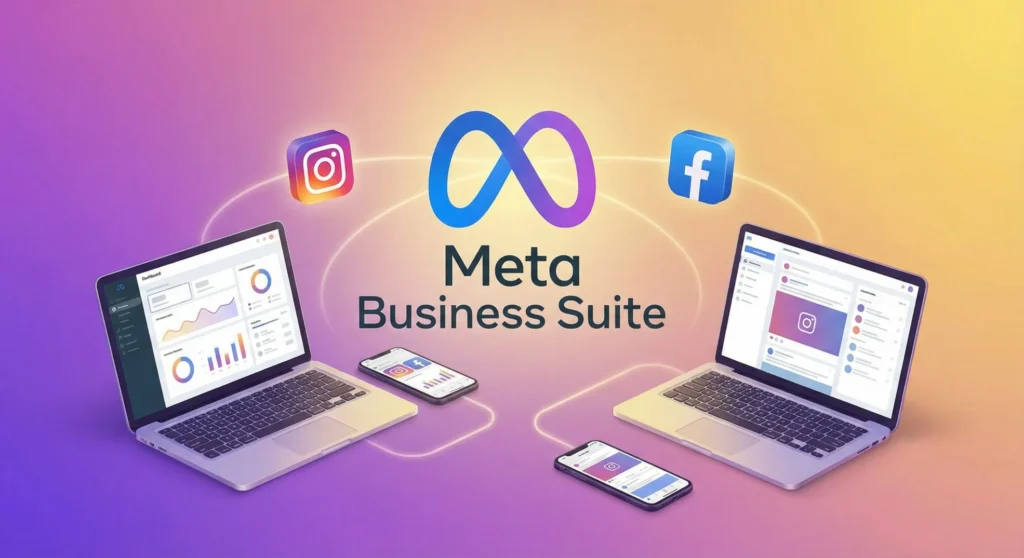
Meta Business Suite offers a clean and easy dashboard where you can see everything at once. From posts and stories to messages and insights, everything stays organized.
You can quickly check:
- Recent posts
- Scheduled content
- Notifications
- Messages
- Performance stats
This unified dashboard makes daily management smooth and stress-free.
Content Creation and Scheduling
One of the most useful features of Meta Business Suite is content scheduling. Businesses can create posts for Instagram and Facebook and schedule them in advance.
Benefits include:
- Consistent posting
- Better content planning
- Time savings
- Reduced manual effort
You can schedule posts, reels, and stories, ensuring your business stays active even when you are busy.
Inbox Management for Instagram and Facebook
Meta Business Suite combines messages from Instagram, Facebook Messenger, and comments into one inbox.
This helps businesses:
- Reply faster to customers
- Avoid missed messages
- Improve customer satisfaction
- Build trust and loyalty
Quick replies and saved responses also make communication more professional.
Business Insights and Analytics
Data drives smart business decisions. Meta Business Suite provides detailed insights for Instagram and Facebook.
You can track:
- Reach and impressions
- Engagement rate
- Follower growth
- Best performing posts
- Audience demographics
These insights help businesses understand what works and what needs improvement.
Advertising and Promotions
Meta Business Suite allows businesses to create and manage ads easily. You can boost posts, promote pages, and monitor ad performance without opening Ads Manager.
This is perfect for:
- Small businesses
- Beginners in paid ads
- Local brands
- Budget-focused campaigns
Advanced users can still access detailed options through Ads Manager if needed.
Monetization Tools
For creators and content-driven businesses, Meta Business Suite provides monetization tools. These include branded content, bonuses, and performance incentives.
This helps businesses and creators earn directly from their content on Instagram and Facebook.
Capabilities of Meta Business Suite
Meta Business Suite is not just a posting tool. It is a complete business management platform. Its capabilities extend across multiple areas.
Multi-Account Management
Businesses can manage multiple Instagram and Facebook pages from one Meta Business Suite account. This is ideal for agencies, franchises, and growing brands.
Team Access and Permissions
You can add team members and assign roles based on responsibilities. This ensures security while allowing collaboration.
Cross-Platform Integration
Meta Business Suite connects seamlessly with:
- Ads Manager
- Commerce Manager
This integration creates a smooth workflow.
Detailed Breakdown of Meta Business Suite Tools
Planner Tool
The planner tool shows your content calendar visually. You can drag, drop, edit, and reschedule posts easily.
This helps in maintaining a balanced content strategy.
Notifications Center
All alerts, updates, and reminders appear in one place. This keeps you informed without confusion.
Commerce and Shops
Meta Business Suite supports product catalogs and shops for businesses selling online. You can manage listings and track performance.
Why Meta Business Suite Is the Best Tool for Instagram and Facebook Business
Meta Business Suite stands out because it is built directly by Meta. This gives it unique advantages.
Native Platform Advantage
Since Meta owns Instagram and Facebook, Meta Business Suite gets early updates, accurate data, and better compatibility.
Free and Powerful
Most features are available for free, making it accessible to all businesses.
Beginner-Friendly Interface
Even beginners can start using Meta Business Suite without technical knowledge.
How to Set Up Meta Business Suite
Setting up Meta Business Suite is simple.
Step-by-Step Setup Guide
- Go to business.facebook.com
- Log in with your Facebook account
- Connect your Facebook Page
- Link your Instagram Business account
- Complete business details
Once done, your Meta Business Suite dashboard becomes active.
How to Use Meta Business Suite Effectively
Using Meta Business Suite correctly can multiply business results.
Best Practices for Daily Use
- Check inbox daily
- Schedule posts weekly
- Review insights regularly
- Test different content formats
- Monitor ad performance
Consistency plays a key role in success.
Best Way to Use Meta Business Suite for Business Growth
To get maximum value from Meta Business Suite, businesses should follow a strategic approach.
Content Strategy
Plan content around:
- Education
- Engagement
- Promotion
- Community building
Use reels, stories, and posts together.
Data-Driven Decisions
Use insights to adjust:
- Posting time
- Content type
- Ad budget
- Target audience
This improves ROI and reach.
Meta Business Suite for Small Business Owners
Small businesses benefit greatly from Meta Business Suite because it reduces workload.
Advantages include:
- One-click promotions
- Simple scheduling
- Easy customer replies
- Affordable marketing
It helps small businesses compete with larger brands.
Meta Business Suite for Digital Marketers
Marketers use Meta Business Suite to:
- Manage multiple clients
- Analyze campaign performance
- Coordinate teams
- Scale campaigns efficiently
It acts as a central control system.
Meta Business Suite for Creators and Influencers
Creators use Meta Business Suite to grow audiences and monetize content. It provides tools for engagement tracking and branded collaborations.
Common Mistakes to Avoid in Meta Business Suite
Avoid these mistakes to get better results:
- Ignoring insights
- Posting randomly
- Not replying to messages
- Over-promoting content
- Skipping reels and stories
Smart usage leads to better growth.
Meta Business Suite vs Third-Party Tools
While third-party tools offer automation, Meta Business Suite has native accuracy.
Comparison Highlights
- Better data accuracy
- Direct platform support
- No extra cost
- Faster updates
This makes Meta Business Suite a trusted choice.
Latest Updates in Meta Business Suite
Meta Business Suite continues to evolve. Recent updates include:
- Improved insights layout
- Better reel scheduling
- AI-based recommendations
- Enhanced inbox filters
These updates improve efficiency and user experience.
SEO and Social Media Strategy with Meta Business Suite
SEO and social media work together. Meta Business Suite supports this by improving engagement, reach, and brand signals.
Higher engagement indirectly supports search visibility and brand trust.
Security and Privacy in Meta Business Suite
Meta Business Suite includes:
- Role-based access
- Secure login
- Activity logs
This ensures business data stays protected.
FAQs About Meta Business Suite
Is Meta Business Suite free?
Yes, Meta Business Suite is completely free for Instagram and Facebook businesses.
Can I manage ads from Meta Business Suite?
Yes, you can create, manage, and track ads easily.
Is Meta Business Suite good for beginners?
Yes, it is beginner-friendly and easy to use.
Can I use Meta Business Suite on mobile?
Yes, Meta Business Suite has a mobile app for Android and iOS.
Final Thoughts: Is Meta Business Suite Worth It?
Meta Business Suite is one of the best tools for managing Instagram and Facebook business accounts. It combines simplicity, power, and data in one place. Businesses that use Meta Business Suite properly save time, grow faster, and build stronger customer relationships.
If you want to grow your business on Instagram and Facebook in a smart, professional, and scalable way, Meta Business Suite is not optional anymore. It is essential.












Leave a Comment