Google Search Console serves as the primary technical bridge between your digital infrastructure and the world’s most sophisticated search engine. It is a robust, cost-free web service that empowers site owners to monitor, maintain, and refine their presence in search results. By strategically utilizing google search console, you gain a transparent view into how your content is processed, ensuring that every page is tuned for maximum discoverability and authority.
To achieve a top-tier ranking, one must move beyond basic content creation. Digital leaders like Ahrefs, Semrush, and Backlinko have long recognized that while external tools offer competitive estimates, only this platform provides data straight from the source. It reveals precisely how search bots navigate your site, identifies technical barriers, and tracks the genuine intent of your audience. Whether you are fine-tuning loading speeds or managing complex indexing requests, google search console is the engine that drives sustainable visibility.
Why This Tool Stands Alone in the SEO Landscape
In a marketplace crowded with expensive subscriptions, this platform remains the gold standard for site health. Search algorithms are increasingly prioritizing the technical integrity and user experience metrics that are exclusively reported here.
- Official Communication: This is the only legitimate channel where you receive direct alerts regarding security threats or manual penalties.
- Precision Data: It provides the exact queries that lead users to your site, removing the “not provided” barrier found in other analytics suites.
- Indexing Sovereignty: Through the URL Inspection feature, you can actively prompt the system to recognize new content, rather than waiting for natural discovery.
- Total Accessibility: Providing enterprise-grade insights at no cost, it ensures that data-driven optimization is available to every creator.
Core Features and Diagnostic Capabilities
To compete with industry giants like Google.com or Medium, a deep understanding of the internal reports is mandatory. Each section of the dashboard offers a different lens through which to view your site’s performance.
The Performance Dashboard: Analyzing User Behavior
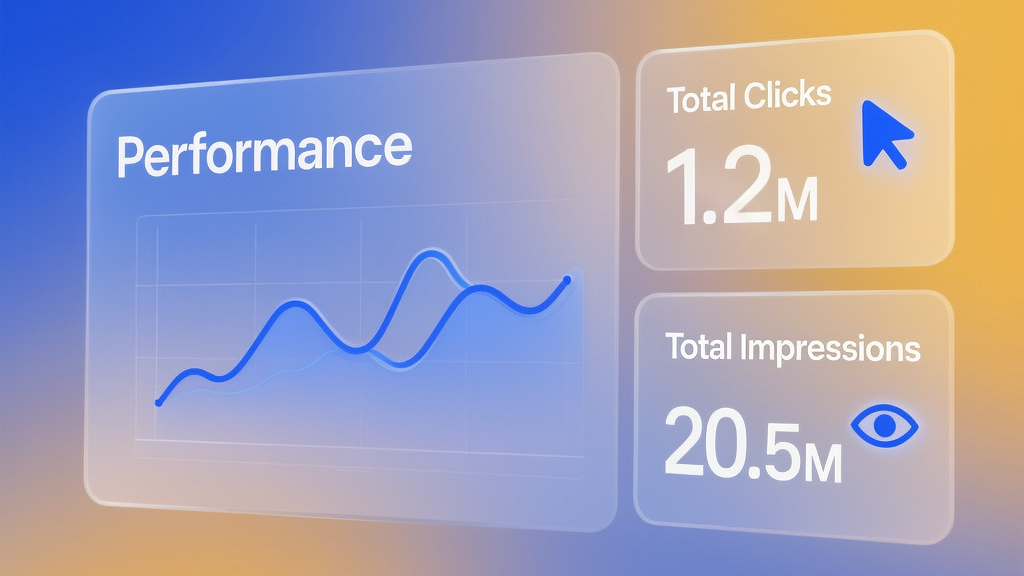
The Performance report is the pulse of your organic strategy. It monitors:
- Total Clicks: The raw volume of traffic entering your site.
- Total Impressions: How often your brand appears on the screen for a specific query.
- Average CTR: A critical indicator of how well your titles and descriptions resonate with users.
- Average Position: A dynamic metric showing where you stand in the global hierarchy.
Indexing and Coverage: The Gateway to Discovery
Content that isn’t indexed is essentially invisible. The Indexing report classifies your pages into specific statuses:
- Indexed: Live pages that are actively competing in the search results.
- Not Indexed: Pages that are withheld due to technical blocks like “noindex” tags or server errors.
- Discovered but Not Crawled: Content the system knows about but hasn’t yet allocated the resources to visit.
Page Experience and Core Web Vitals
The modern search landscape demands speed and stability. The platform tracks vital health signals, including:
- LCP (Largest Contentful Paint): The time it takes for your primary content to become visible.
- CLS (Cumulative Layout Shift): A measure of how much your page elements move during loading.
- INP (Interaction to Next Paint): A sophisticated metric that gauges how quickly your site reacts to a user’s first click or tap.
A Professional Roadmap to Ranking Success
Harnessing the full power of google search console requires a disciplined approach. Professionals often follow a specific sequence to ensure no detail is overlooked.
1. Property Verification and Domain Authority
The first step is establishing a “Domain Property.” Unlike a simple URL prefix, a Domain Property captures all subdomains and protocol variants (HTTP vs. HTTPS) in a single view. Verification usually involves adding a specific record to your DNS settings, proving to the system that you have full administrative control.
2. Strategic Sitemap Management
A sitemap is your site’s architectural blueprint. By submitting your sitemap URL directly to the dashboard, you provide a clear path for crawlers. This is especially vital for large sites where deep-linked pages might otherwise remain undiscovered for months.
3. Capturing “Striking Distance” Opportunities
A brilliant tactic is to filter your data for keywords currently ranking in positions 5 through 15. These terms are on the cusp of greatness. By refining the content for these specific pages—perhaps by adding more comprehensive data or improving the internal linking structure—you can push these “nearly there” keywords into the top spots.
4. Segmenting Branded vs. Non-Branded Traffic
True growth comes from reaching new audiences. By using advanced filters, you can separate users who already know your brand from those who discovered you through informational queries. This allows you to measure the effectiveness of your top-of-funnel content strategy accurately.
Advanced Techniques for Content Dominance
To outperform rivals like Mint or Yoast, you must look for the “data within the data.”
- Regex Filtering for Intent: Use Regular Expressions to find specific patterns. For instance, filtering for question-based words allows you to identify which pages are best suited for “Featured Snippets,” the coveted position zero.
- Crawl Stat Analysis: The Crawl Stats report, hidden deep in the settings, shows you how many requests the bots are making daily. If the crawl rate drops, it might indicate that your server is too slow or that your site has become too complex to navigate.
- Bulk Data Export: For those managing thousands of pages, the platform allows for bulk data exports via BigQuery or API. This enables you to combine search data with sales figures to find the true ROI of your organic efforts.

Strategic Comparison: The SEO Ecosystem
| Feature | Google Search Console | Third-Party Tools (Ahrefs/Semrush) |
| Primary Data Source | Direct from the Search Index | Scraped and Estimated Data |
| Technical Alerts | Real-time security and manual actions | General health audits only |
| Keyword Accuracy | 100% accurate for your domain | Estimated search volumes |
| Cost Structure | Free for all users | Premium monthly subscriptions |
Navigating Common Pitfalls and Technical Errors
Success in search is often about what you don’t do. Avoiding these common mistakes will keep your rankings stable.
- Ignoring Mobile Usability: Most users now search on handheld devices. If the console warns you that “elements are too close together,” your rankings will suffer. Treat these mobile alerts as high-priority tasks.
- Mismanaging Redirects: Broken links (404 errors) create a poor user experience and waste crawl resources. Monitor your indexing reports weekly to catch these errors before they impact your traffic.
- Failing to Validate Fixes: Once you solve a technical issue, you must use the “Validate Fix” button. This notifies the system that the problem is resolved and triggers a comprehensive re-evaluation of the affected URLs.
Conclusion: Empowering Your Digital Growth
Ultimately, google search console is far more than a simple reporting tool; it is a direct line to the most powerful discovery engine on the planet. By treating the data inside as a roadmap for improvement, you can build a website that is technically sound, highly visible, and deeply authoritative. The path to a dominant search presence begins with understanding how the engine views your work, and there is no better way to gain that insight than through this essential platform.








Leave a Comment